TLS 密钥管理
密钥(Secret)是以键/值对形式保存的、包含证书、私钥、凭证等敏感信息的对象,用于服务间的链路 TLS 加密通信。 服务网格提供了界面化的 TLS 密钥管理功能。
准备凭证和私钥
以 helloworld 为例,使用自签名 CA 签发测试证书。先创建输出目录和 CA 证书、私钥,再生成 helloworld 的证书签名请求(CSR)并签名。
mkdir -p example_certs1
openssl req -x509 -sha256 -nodes -days 365 -newkey rsa:2048 -subj "/CN=example.com/O=example organization" -keyout example_certs1/example.com.key -out example_certs1/example.com.crt
openssl req -out example_certs1/helloworld.example.com.csr -newkey rsa:2048 -nodes -keyout example_certs1/helloworld.example.com.key -subj "/CN=helloworld.example.com/O=helloworld organization"
openssl x509 -req -sha256 -days 365 -CA example_certs1/example.com.crt -CAkey example_certs1/example.com.key -set_serial 1 -in example_certs1/helloworld.example.com.csr -out example_certs1/helloworld.example.com.crt
查看生成的证书和私钥,将完整 PEM 内容(包括 BEGIN 和 END 行)填入下方的 TLS 密钥表单。
使用 .crt 证书,不要使用 .csr 证书签名请求。
创建密钥
-
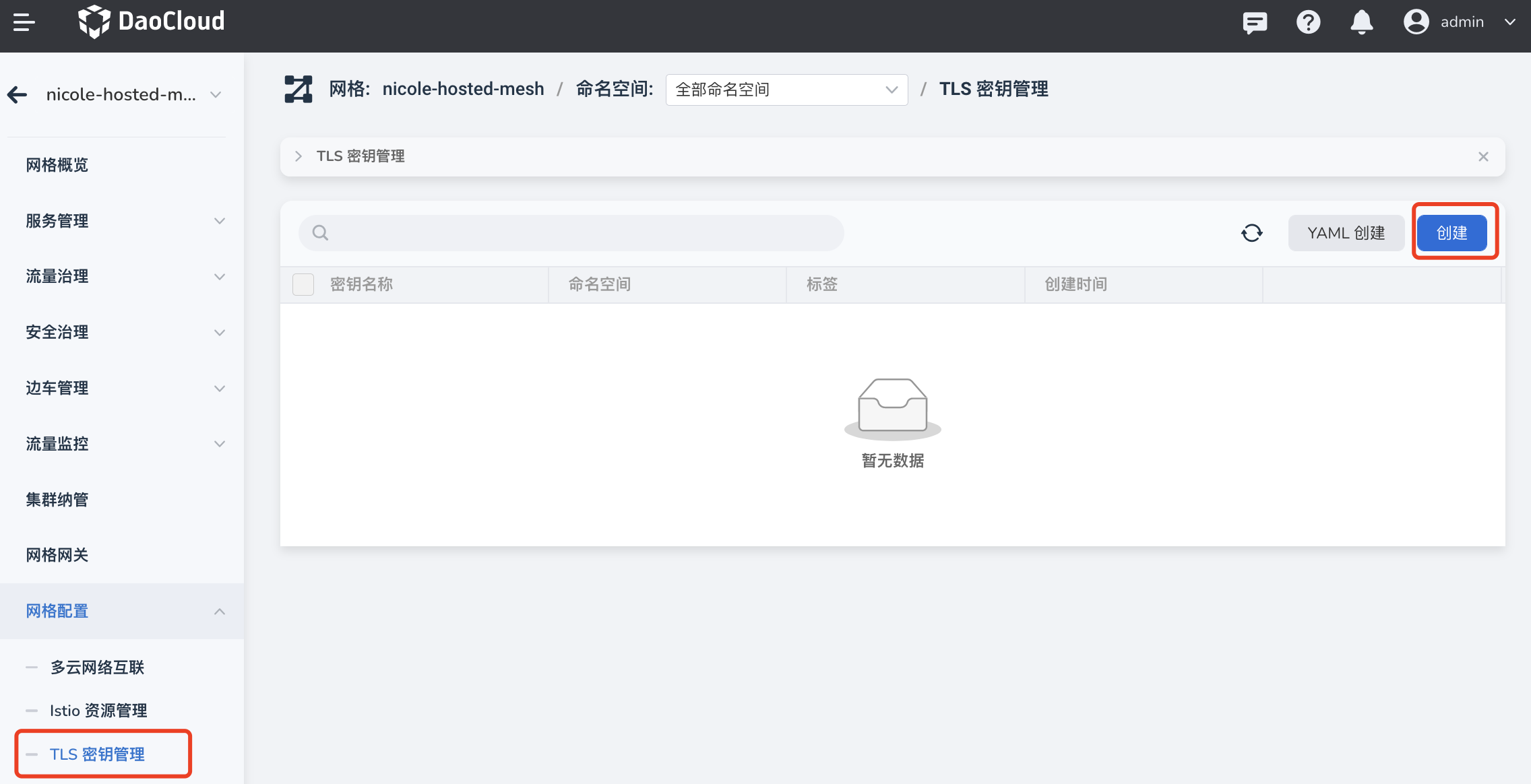
进入某个网格后,在左侧导航栏点击 网格配置 -> TLS 密钥管理 ,点击 创建 按钮。
-
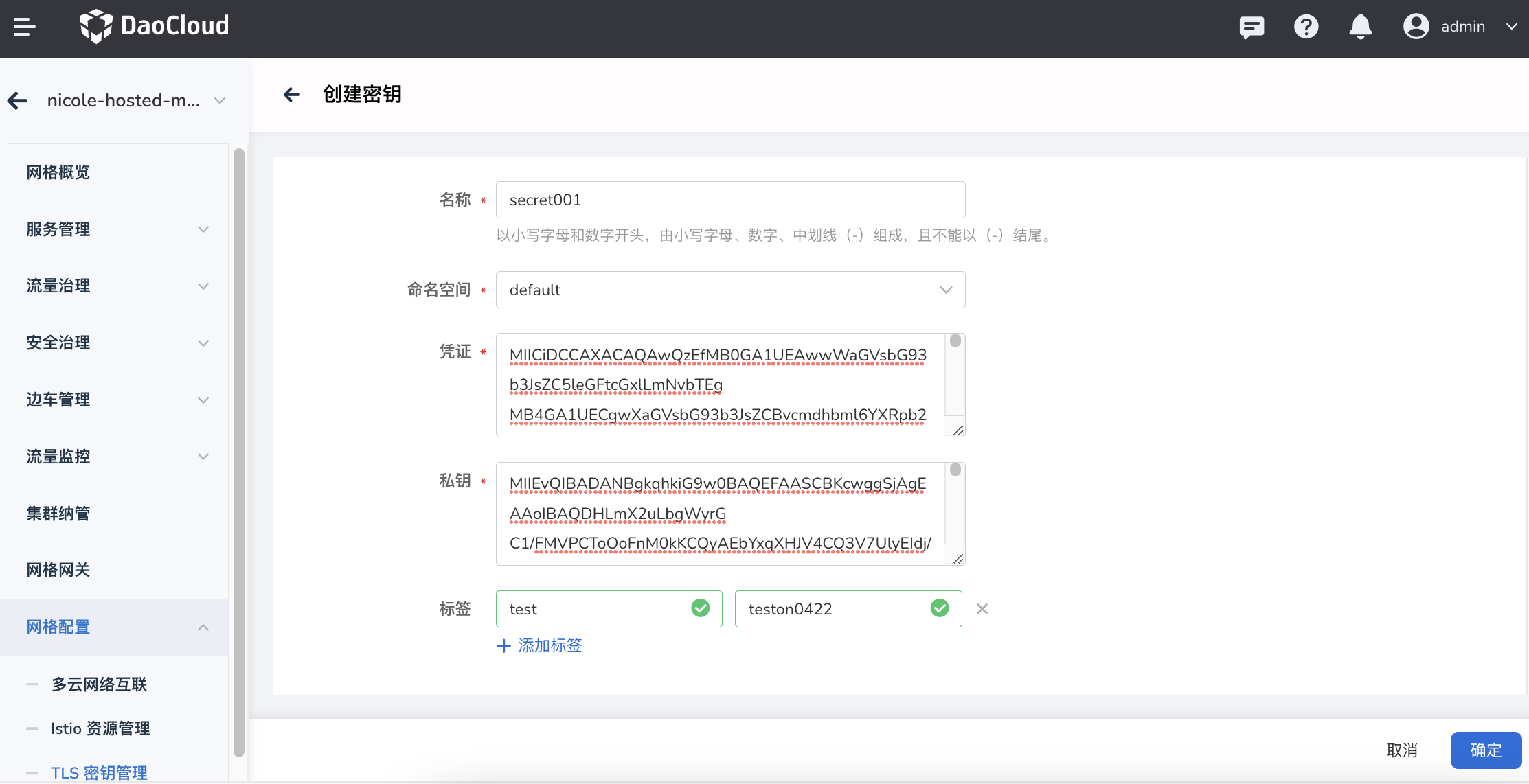
填写名称,选择命名空间,填入刚创建的凭证和私钥,根据情况添加标签后,点击 确定 。
-
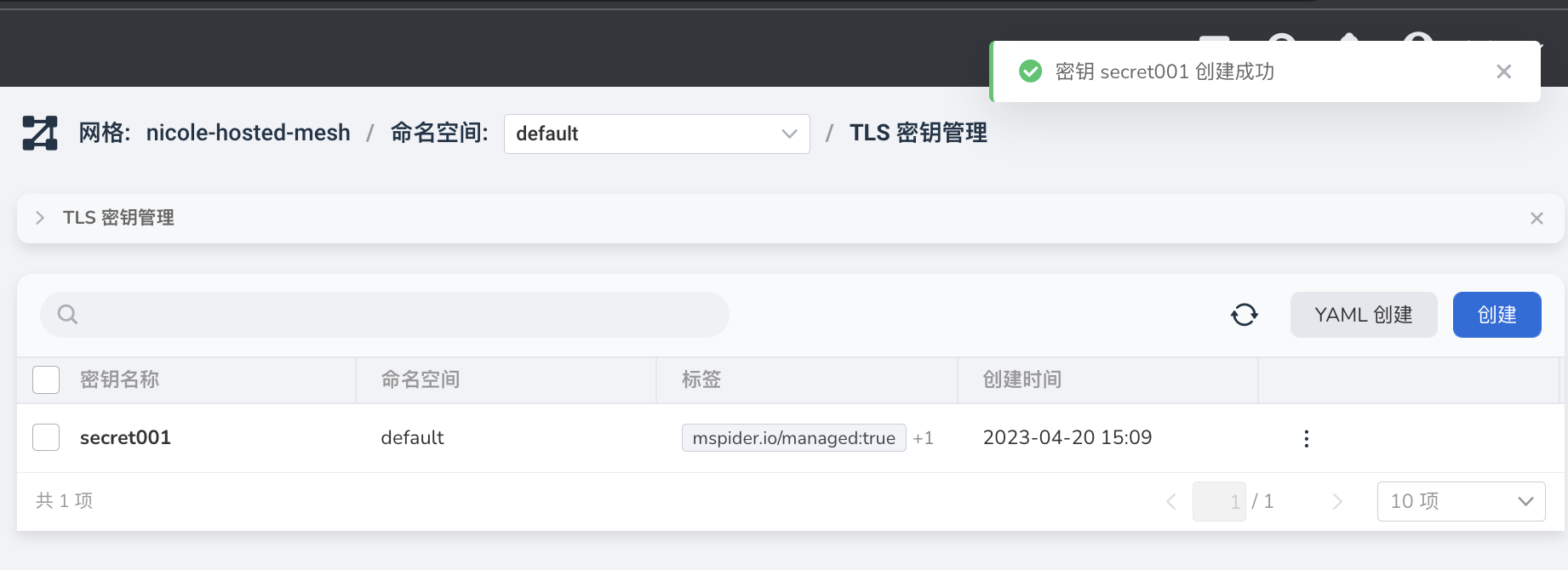
屏幕提示创建成功,点击右侧的 ┇ 按钮,可以执行编辑、YAML 编辑以及删除等操作。
也可以用以下命令查看相同证书和私钥对应的 Secret YAML。--dry-run=client 仅生成 YAML,不会在集群中创建资源:
kubectl create secret tls secret001 \
  --cert=example_certs1/helloworld.example.com.crt \
  --key=example_certs1/helloworld.example.com.key \
  --dry-run=client -o yaml
使用场景
创建好的 TLS 密钥可用于:
-
目标规则 。添加策略配置时,启用客户端 TLS 后,可以在以下 2 种模式种选择创建好的密钥:
- 简单模式
- 双向模式
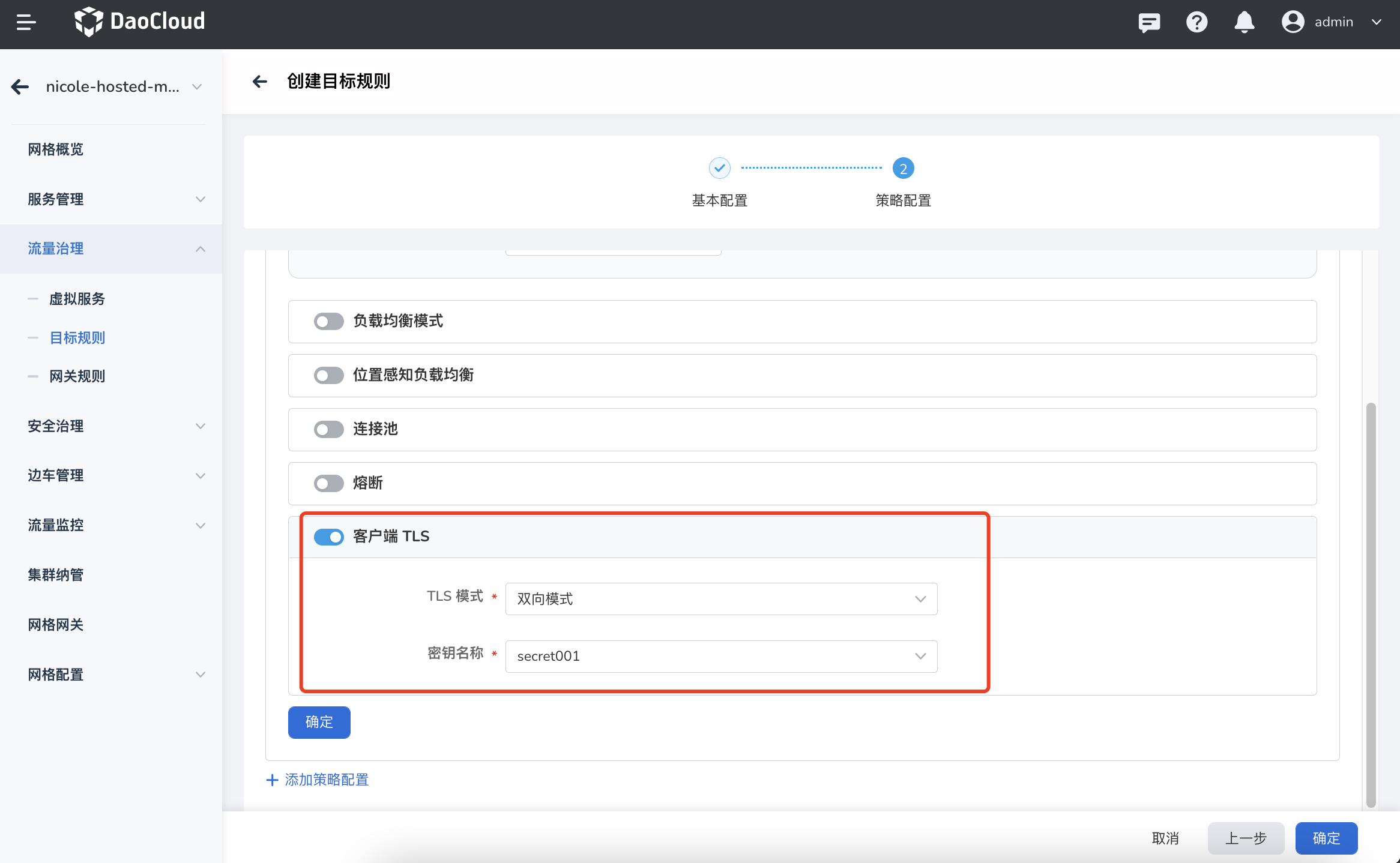
-
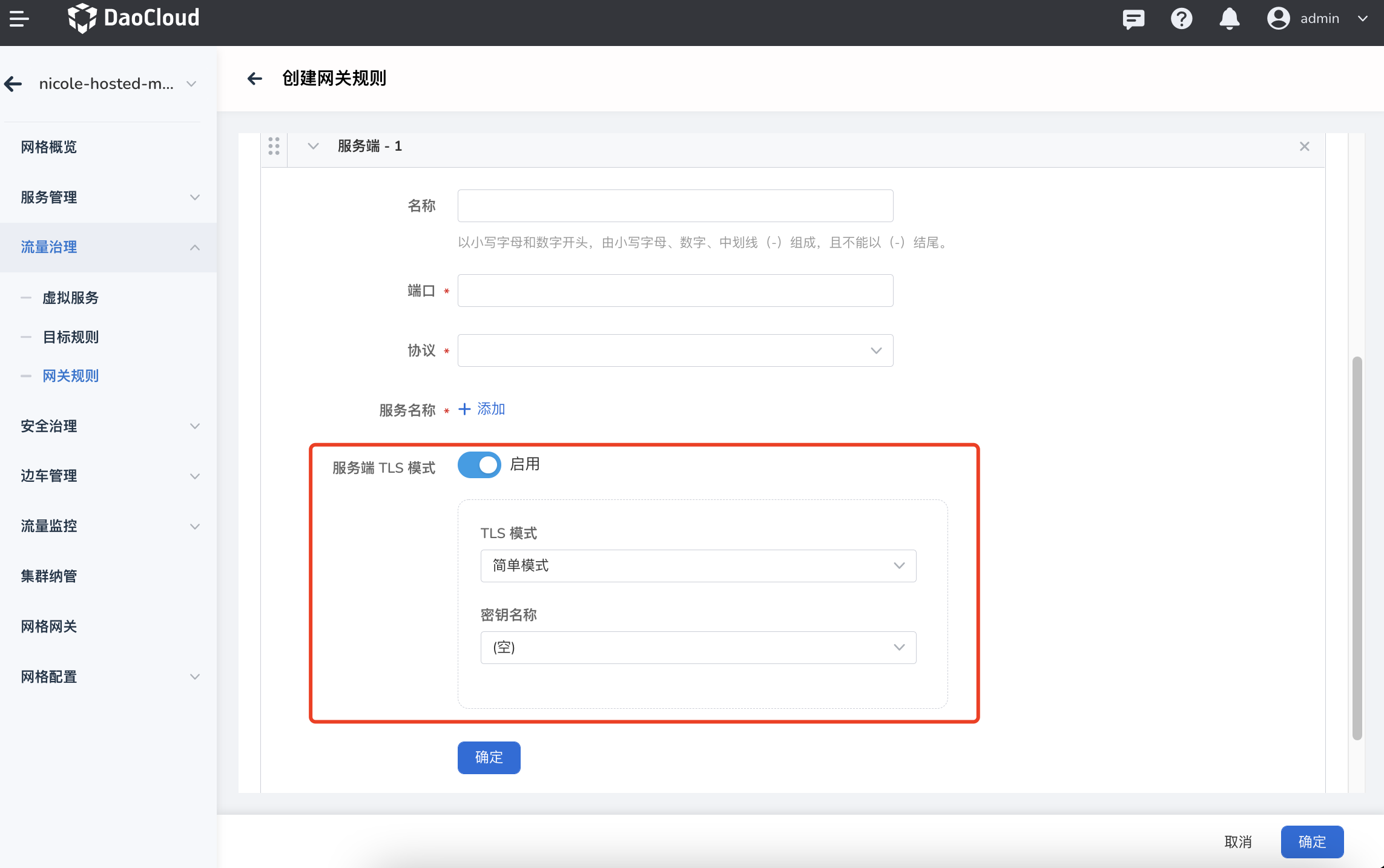
网关规则 。启用服务端 TLS 模式后,可以在以下 3 种模式种选择创建好的密钥:
- 简单模式
- 双向模式
- Istio 双向模式