Ingress Scope
The IngressClass Scope can be used to specify whether the Ingress instance is limited to the cluster level、the namespace level and the workspace level.
Cluster Level / Namespace Level
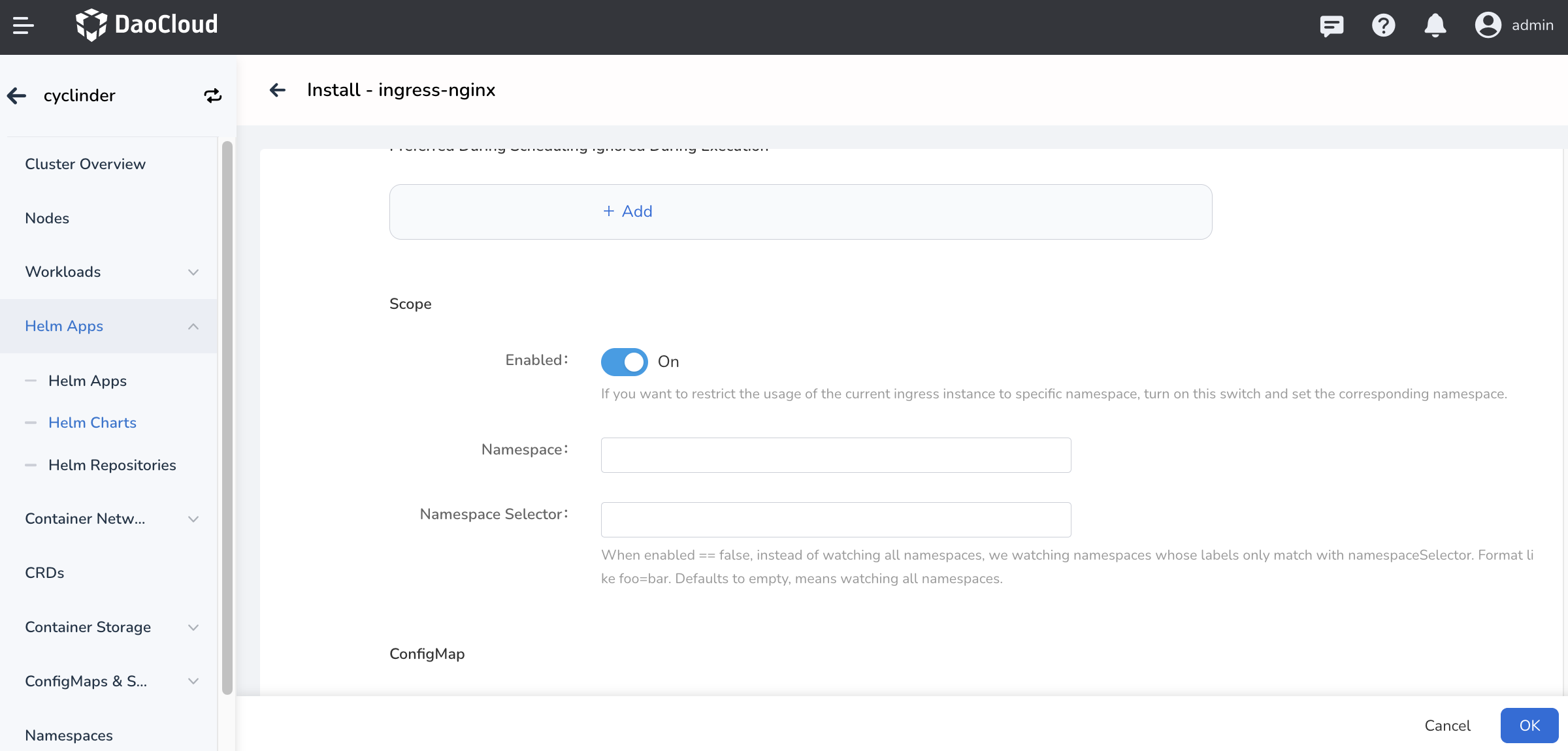
You can refer to the diagram below to create a cluster-level or tenant-level ingress-nginx instance.

Workspace-level Ingress instances
When creating an Ingress instance, if Ingress Scope is enabled, IngressClass is .spec.parameters, and .spec.parameters.scope is namespaceSelector, and the Label is workspace.ghippo.io/id: '12345' (where 12345 is the ID of the specified workspace workspace01), then the Ingress instance's Ingress Class is at workspace-level, which applies to all namespaces in workspace01 that are in the current cluster.
An Ingress instance at the namesapce level is equivalent to an admin delegating rights to use Ingress to a workspace, thus achieving tenant resource isolation.
#Example
apiVersion: networking.k8s.io/v1
kind: IngressClass
metadata.
  name: external-lb-2
spec.
  controller: example.com/ingress-controller
  parameters.
    scope: Namespace # Specify the scope of the Ingress instance as Namespace
    apiGroup: k8s.example.com
    kind: IngressParameter # Specify the Ingress instance Kind as IngressParameter
    namespaceSelector: workspace.ghippo.io/id: '1235' # Specify the workspace ID to be used
    name: external-config
How to deploy platform/workspace/namespace-level Ingress instances?
Different instances can watch different namespaces by specifying --watch-namespace. If ingress-nginx instances are installed via Helm, you need to enable and set platform/workspace/namespace level Ingress by specifying -controller.scope.enabled=true and -set controller.scope.namespace=$NAMESPACE.
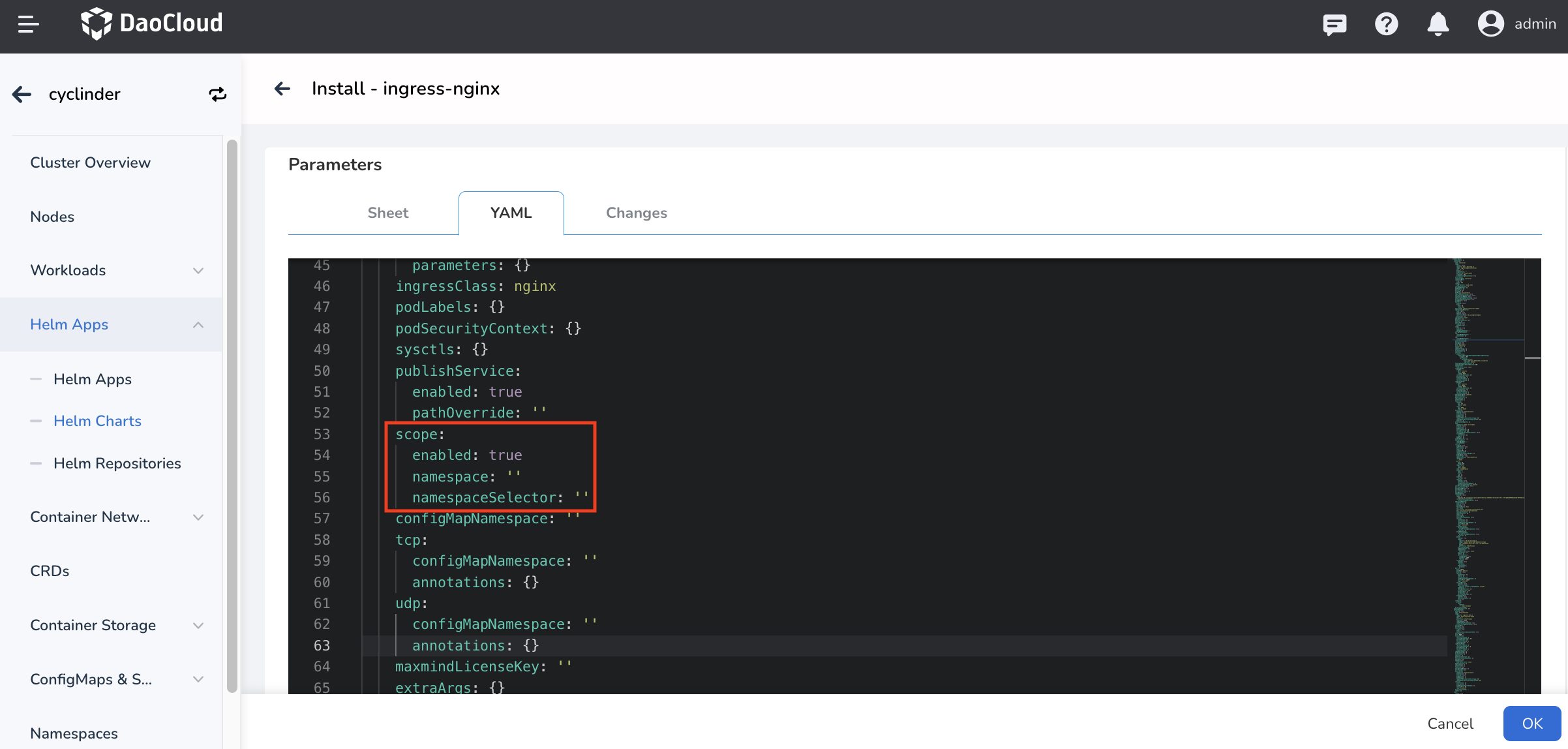
Platform-level Ingress Instance: Ifscopeis disabled when creating an Ingress instance, the Ingress instance created isplatform-level.Namespace-level Ingress instances: If you create Ingress instances withscopedisabled and specify the corresponding namespace innamespace, the Ingress created isnamespace-level.
The following example creates Ingress-nginx as a Default exclusive:
Configuration information in the corresponding value.yaml:
Workspace-level Ingress Instance: When deploying Ingress-Ngnix, set thescopetodisabledand specifyworkspace.ghippo.io/id=12345in theNamespace Selectorto create an Ingress Instance with anID12345exclusive to the workspace.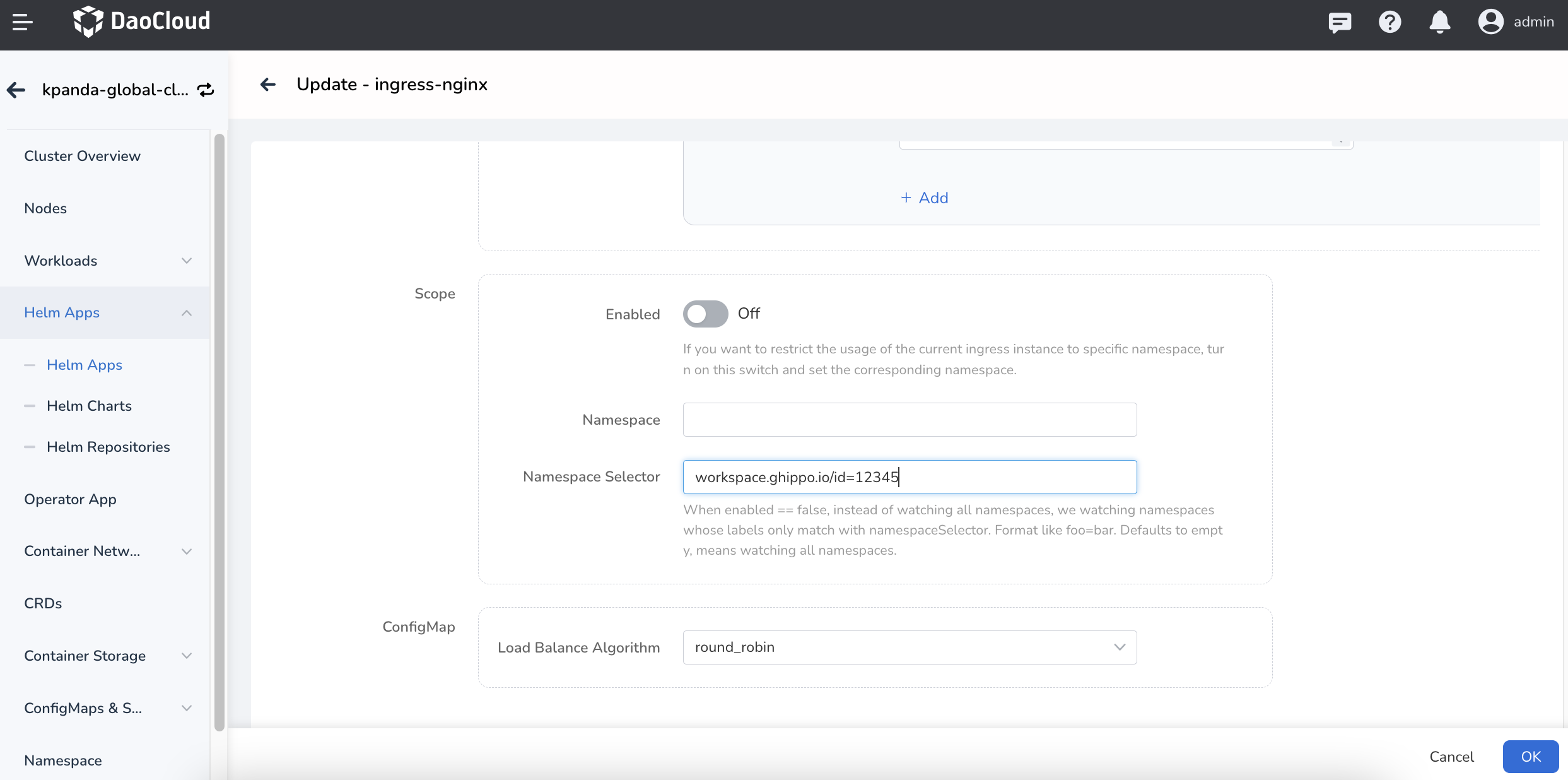 The corresponding configuration information in
 value.yaml: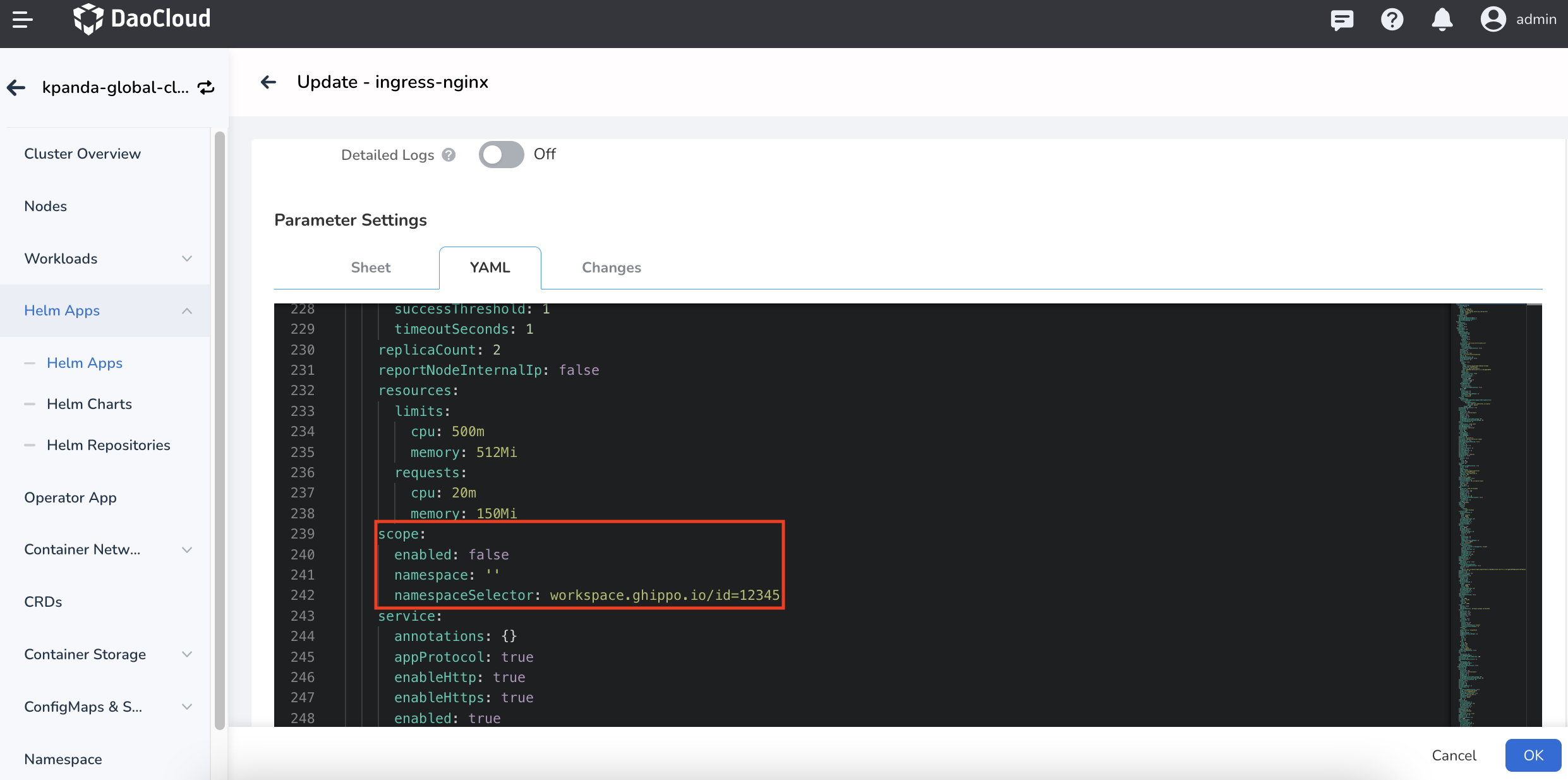
After the Ingress instance is deployed, you can create Ingress rules in the corresponding namespace and select the Ingress Class for the corresponding instance to use.
For more information you can refer to scope.